

A New Threat to Mobile Banking
Cybersecurity researchers have discovered a new piece of malware called Rokarolla, which specifically targets the Android operating system. This worm represents a new generation of banking trojans that combine credential theft with full control over the infected device. The main danger is that the virus spreads under the guise of completely legitimate and popular programs, such as modified versions of famous social networks, browsers, and system utilities.
Attackers use social engineering techniques to distribute malicious files through third-party app catalogs, phishing websites, and forums. Once on the device, Rokarolla activates a multi-step persistence mechanism, allowing it to remain unnoticed by the average user for years. Professional code analysis indicates a high level of expertise among the developers of this tool, who carefully bypassed modern Android security mechanisms.
Infection Mechanism and Trojan Architecture
The launch of the trojan within the system begins with its camouflage as an installation package. These are usually APK files mimicking security updates or popular media players. During the initial launch, the malware displays a fake error window or a message stating that the app is not supported on this device version, after which the icon disappears from the main screen. However, at this moment, the process continues to run in the background as a system service.
The primary architecture of Rokarolla is based on a modular principle. This means that the initial code contains only a basic downloader that connects to the C2 (Command and Control) server and downloads additional plugins depending on which specific financial applications are installed on the victim’s phone. This approach minimizes the size of the primary file and reduces the likelihood of its detection by standard antivirus scanners during the download stage.
Exploiting Accessibility Services
The key element of a successful Rokarolla attack is the abuse of Android Accessibility Services. This functionality was created to assist users with disabilities, but hackers frequently misuse it to gain full control over the smartphone interface. The trojan uses various methods to force the user to grant this permission, displaying persistent system requests disguised as requirements for a mobile theme or an update service.
Once granted access to Accessibility Services, the trojan gains the ability to perform the following actions autonomously
- Read all screen content in real-time, including text messages, push notifications, and private chats.
- Simulate button clicks, swipes, and text input without the device owner’s knowledge.
- Independently grant itself any other system permissions, such as access to SMS, contacts, storage, and geolocation.
- Block user attempts to open application settings to remove the malicious software.
Phishing Overlays and Cryptocurrency Theft
The primary goal of Rokarolla developers is direct financial gain. To achieve this, the software employs dynamic overlays (injections). When a user opens a legitimate banking or crypto exchange application, the trojan immediately detects this via background process monitoring and draws its own phishing copy over the original window, visually indistinguishable from the real interface.
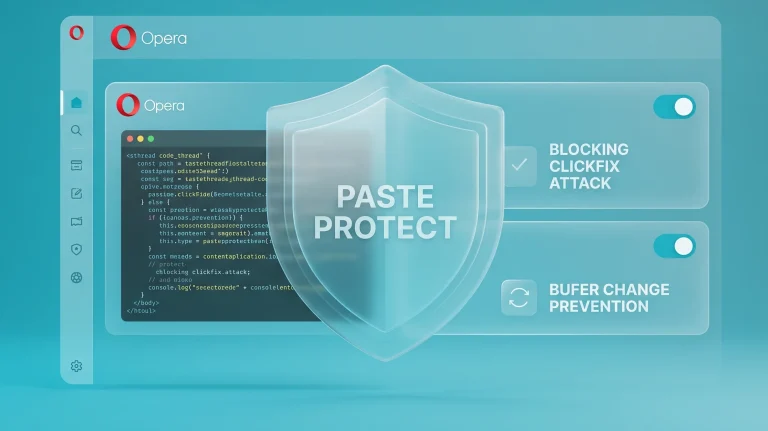
The user enters their login, password, or PIN, believing they are authenticating in their actual banking cabinet. This data is instantly transmitted to the malicious server. In addition to traditional banking, Rokarolla features an integrated clipboard monitoring module. If the system detects that the user has copied a cryptocurrency wallet address, the trojan automatically replaces it with a hacker-controlled address. Thus, during transactions, funds are sent to the criminals’ account, and the victim notice the swap only after the operation is complete.
How to Protect Your Android Device from Infection
The analysis of Rokarolla shows that mobile threats are becoming increasingly sophisticated, making standard cautionary measures insufficient. Security experts recommend strictly adhering to digital hygiene rules when operating Android devices. First and foremost, it is essential to completely avoid downloading applications from unofficial sources and disable the permission to install apps from unknown websites in the security settings.
Special attention should also be paid to the list of permissions an application requests during installation. If a simple game or calculator requires access to sending SMS, managing calls, or, most dangerously, Accessibility Services, such an application must be removed immediately. Regular operating system updates and installing Android security patches allow closing critical vulnerabilities that trojans might exploit to bypass system boundaries without user interaction.


0 Comments