
Google Homepage Redesign Signals a New Era
The simplicity of Google’s homepage has remained an untouched web design benchmark for decades. A clean white screen, the iconic logo, an input field, and two standard buttons created a universally recognized entry point to the internet. However, the rapid evolution of generative artificial intelligence is prompting the tech giant to reconsider even its most fundamental user experience elements.
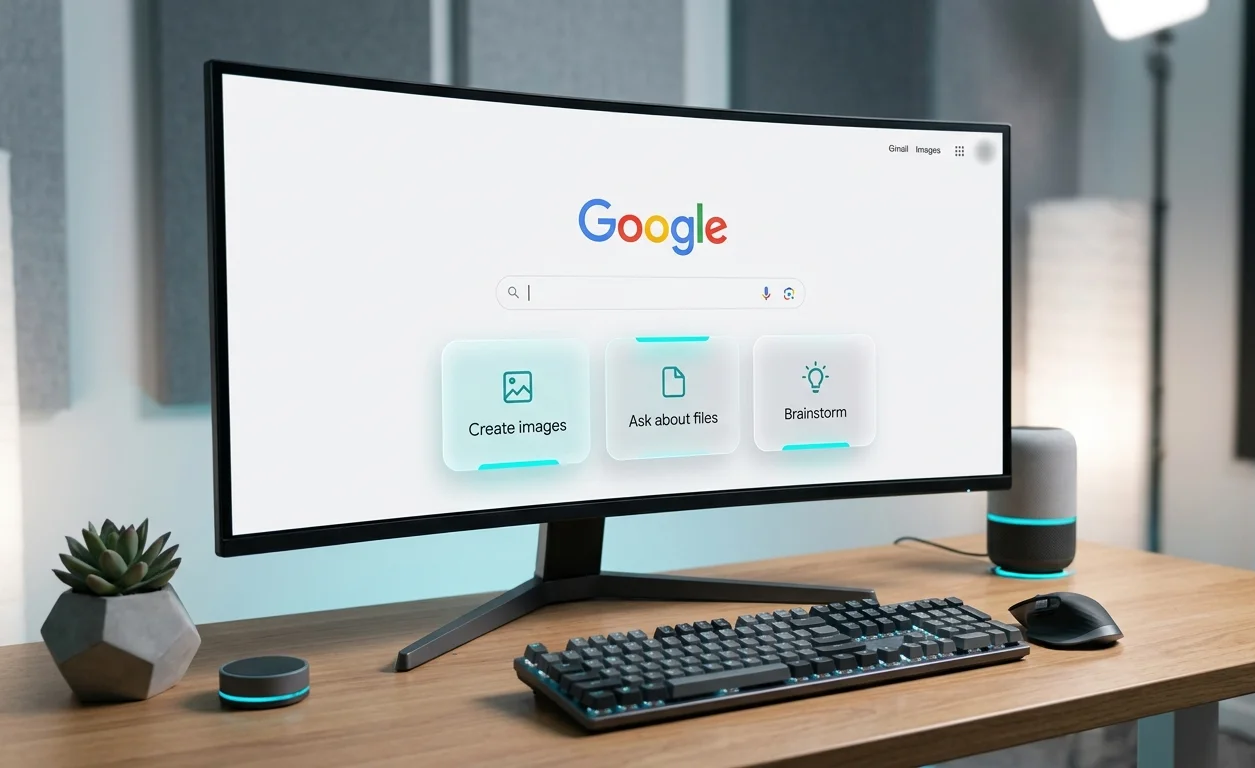
Analysts recently spotted a limited A/B test targetting signed-out users. In this experimental layout, the classic search execution button has been removed entirely, replaced by controls geared toward direct interaction with neural networks.
Key Changes in the Experimental Search Interface
The core objective of the test appears to be evaluating user interaction patterns when legacy navigation elements are omitted. While the primary search bar retains its central placement, the layout beneath it has been modernized.
- Removal of the Search button. Users are expected to execute queries exclusively using the Enter key on their keyboards.
- Integration of three AI shortcuts. Positioned directly under the search bar, new quick-action buttons grant immediate access to AI capabilities.
- Focus on unauthenticated traffic. The test currently appears primarily for users operating in incognito mode or browsing without an active Google account.
These modifications indicate a clear intent to familiarize guest users with an ecosystem where the search engine acts as a multimodal processing hub rather than a simple link directory.
Detailed Breakdown of the New AI Shortcuts
The three experimental shortcuts provide direct entry points to common generative workflows. Each button directs the user into a tailored mode powered by underlying AI models.
Each component functions as a streamlined entry point into Gemini capabilities, embedded cleanly within the core search page layout.
Strategic Reasons Behind Removing the Search Button
With the universal presence of the Enter key on desktop and mobile input devices, the dedicated onscreen search button has become largely redundant. Analytical data shows that the vast majority of users rely on keyboard triggers rather than clicking on the visual button.
Reclaiming that screen real estate allows Google to highlight its artificial intelligence offerings, achieving several strategic goals simultaneously.
- Boosting user engagement. Presenting actionable AI features immediately communicates expanded platform capabilities.
- Competitive positioning. Direct access to generative tools helps retain users who might otherwise turn to alternative AI services.
- Interface streamlining. Eliminating duplicate elements produces a cleaner, more contemporary aesthetic.
Impact on Webmasters and SEO Strategies
The ongoing shift toward generative answers continues to reshape the search engine optimization landscape. When a user selects an AI shortcut instead of running a traditional query, their path to publisher websites changes significantly.
SEO professionals must adapt content optimization strategies to ensure visibility within generative summaries and AI assistant responses, as layout changes continue to favor direct answer generation.
Future Rollout Expectations
Currently, this updated interface remains a restricted test. Google frequently conducts short-term experiments across small user cohorts to gather engagement metrics and validate structural design decisions.
Should interaction rates for these AI shortcuts meet internal targets, a broader rollout across logged-in accounts could follow in upcoming updates.




0 Comments