
- Why USB Has a Length Limit: The Physics of Signal Loss
- Standards and limitations: From USB 1.1 to USB4
- USB 1.1: First Generation
- USB 2.0: A Reliable Working Standard
- USB 3.0/3.1/3.2: Speed Issues
- USB4 and Thunderbolt 4: Minimum Length for Maximum Speed
- Cable Quality Matters: AWG and Shielding
- Extending USB: Active and Fiber Optic Solutions
- Active USB cables (Active Extenders)
- USB Fiber Optic Cables (AOC)
- Length and USB Power Delivery: Power Loss
- Final overview of working lengths
- USB 1.1 (12 Mbps)
- USB 2.0 (480 Mbps)
- USB 3.0 / 3.1 Gen 1 (5 Gbps)
- USB 3.1 Gen 2 / 3.2 (10–20 Gbps)
- USB4 / Thunderbolt 4 (40 Gbps)
Anyone who’s tried to connect a peripheral or charger over a significant distance has encountered the problem of USB cable length limitations. Why does this limitation exist, and how far can data be transmitted while maintaining high speed? The answer lies in the physics of electrical signal transmission.
Why USB Has a Length Limit: The Physics of Signal Loss
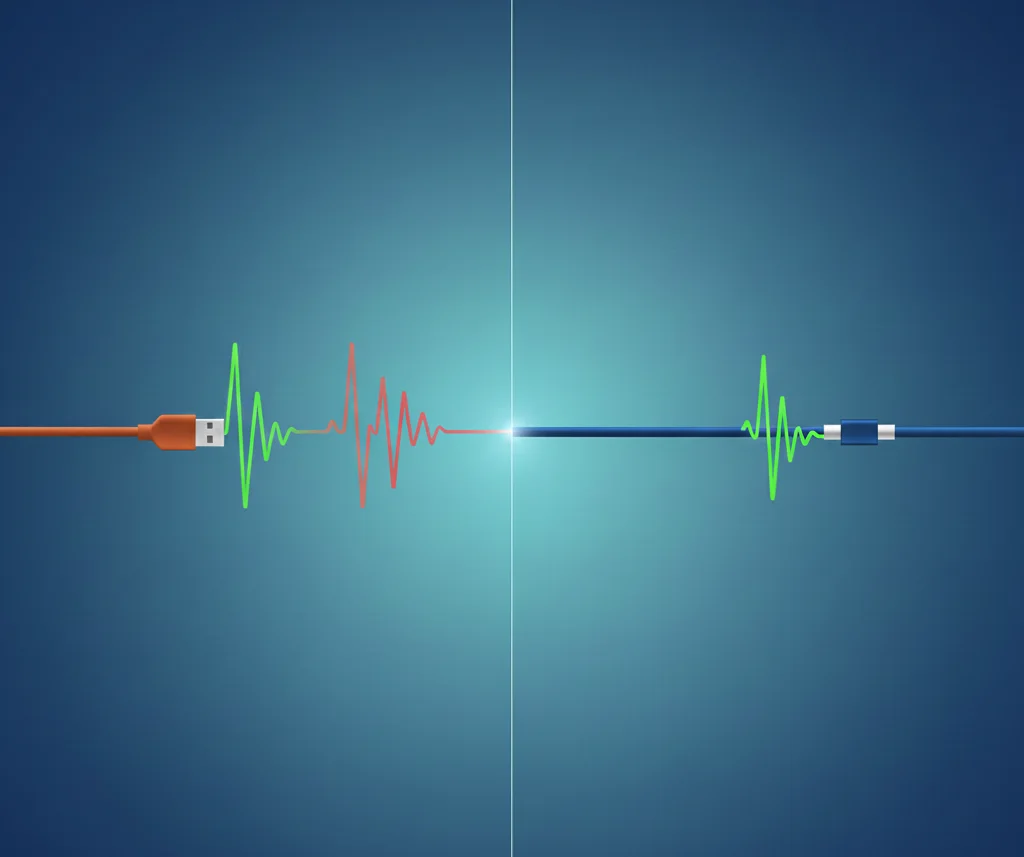
The main reason why the maximum USB cable length is strictly regulated is to ensure data integrity. USB (Universal Serial Bus) transmits data in digital format, but the signal itself is an analog electrical pulse traveling along copper wires.
- Resistance and Attenuation: As the cable length increases, the conductor’s resistance increases. This leads to signal attenuation (loss of amplitude), making the signal more susceptible to interference.
- Timing (synchronization): The signal must reach the receiver within a certain time window. A cable that is too long causes delays, disrupting synchronization between devices and leading to reading errors.
It is these physical limitations that dictate the maximum USB distance set for each standard.
Standards and limitations: From USB 1.1 to USB4
The USB Implementers Forum (USB-IF) establishes official specifications that guarantee performance and data transfer speeds. Here are the official USB length limits for passive cables:
USB 1.1: First Generation
- The maximum official length is up to 3 meters. This standard supports speeds of up to 12 Mbps.
Due to its low speed, USB 1.1 had a relatively modest length limitation, but became the basis for the development of subsequent, faster standards.
USB 2.0: A Reliable Working Standard
- The maximum official length is up to 5 meters. This length guarantees speeds of up to 480 Mbps.
USB 2.0’s maximum length of 5 meters has been the gold standard for many years.
USB 3.0/3.1/3.2: Speed Issues
- USB 3.0/3.1 Gen 1 (5Gbps): Passive cables rarely exceed 3 meters to be guaranteed to work.
- USB 3.1 Gen 2 / USB 3.2 (10Gbps and 20Gbps): Passive cables are limited to 1–2 meters to maintain full speed.
As signal frequencies increase, the problem of USB length without losing speed becomes more acute, requiring high-quality conductors.
USB4 and Thunderbolt 4: Minimum Length for Maximum Speed
For ultra-fast standards that support up to 40 Gbps, such as USB4 and Thunderbolt 4, the cable requirements are extremely high.
- Passive Cables (40Gbps): Passive cables that deliver full speed are typically only 0.8 meters long.
Even 2-meter USB4/Thunderbolt 4 cables often require active electronics.
Cable Quality Matters: AWG and Shielding
Not only the length but also the quality of the USB cable critically impacts actual speed and reliability. Key indicators include AWG (American Wire Gauge) and shielding.
- AWG (Conductor Gauge): The lower the AWG number, the thicker the conductor. Thicker conductors have lower resistance and retain signal better, especially over long distances.
- Shielding: High-quality shielding protects data conductors from external electromagnetic interference, which is important for a long USB cable.
Extending USB: Active and Fiber Optic Solutions
To overcome the strict limitations of USB maximum length, there are specialized solutions. These allow USB cables to be extended without losing speed, even over distances exceeding 100 meters.
Active USB cables (Active Extenders)
An active USB extender contains a built-in electronic circuit (retimer) that receives a weakened signal, restores it to its original level, synchronizes it, and sends it on.
- Features: Active USB cable for USB 3.0/3.1 can reach 15-20 meters in length.
USB Fiber Optic Cables (AOC)
The most reliable way to transmit data over extremely long distances, the USB fiber optic cable (AOC) replaces copper data conductors with glass fiber.
- Features: The USB fiber optic cable easily supports full speed USB 3.1 (10Gbps) and USB4 (40Gbps) at distances of 100 meters or more.
Length and USB Power Delivery: Power Loss
The length limitation affects not only the data transfer rate, but also the power supply function of USB Power Delivery devices.
The longer and thinner the cable, the higher its electrical resistance, resulting in significant voltage and current loss. While a short cable can deliver 100 watts (W) of power, a long USB cable of the same design will deliver less.
Final overview of working lengths
To help you choose the right solution, here’s a summary of the maximum USB distance depending on the cable standard and type.
USB 1.1 (12 Mbps)
Passive cable: up to 3 meters. Active solutions: up to 10 meters.
USB 2.0 (480 Mbps)
Passive cable: 5 meters. Active solutions: up to 30 meters.
USB 3.0 / 3.1 Gen 1 (5 Gbps)
Passive cable: up to 3 meters. Active/AOC solutions: up to 20 meters (Active) or more than 100 meters (AOC).
USB 3.1 Gen 2 / 3.2 (10–20 Gbps)
Passive cable: 1-2 meters. Active/AOC solutions: up to 50 meters (AOC).
USB4 / Thunderbolt 4 (40 Gbps)
Passive cable: up to 0.8 meters. Active/AOC solutions: up to 100 meters (AOC).
Therefore, choosing the right cable depends on two factors: the required data transfer rate (Gbps) and the required maximum USB distance (meters). For longer distances, it’s necessary to invest in active or fiber optic solutions.



0 Comments