
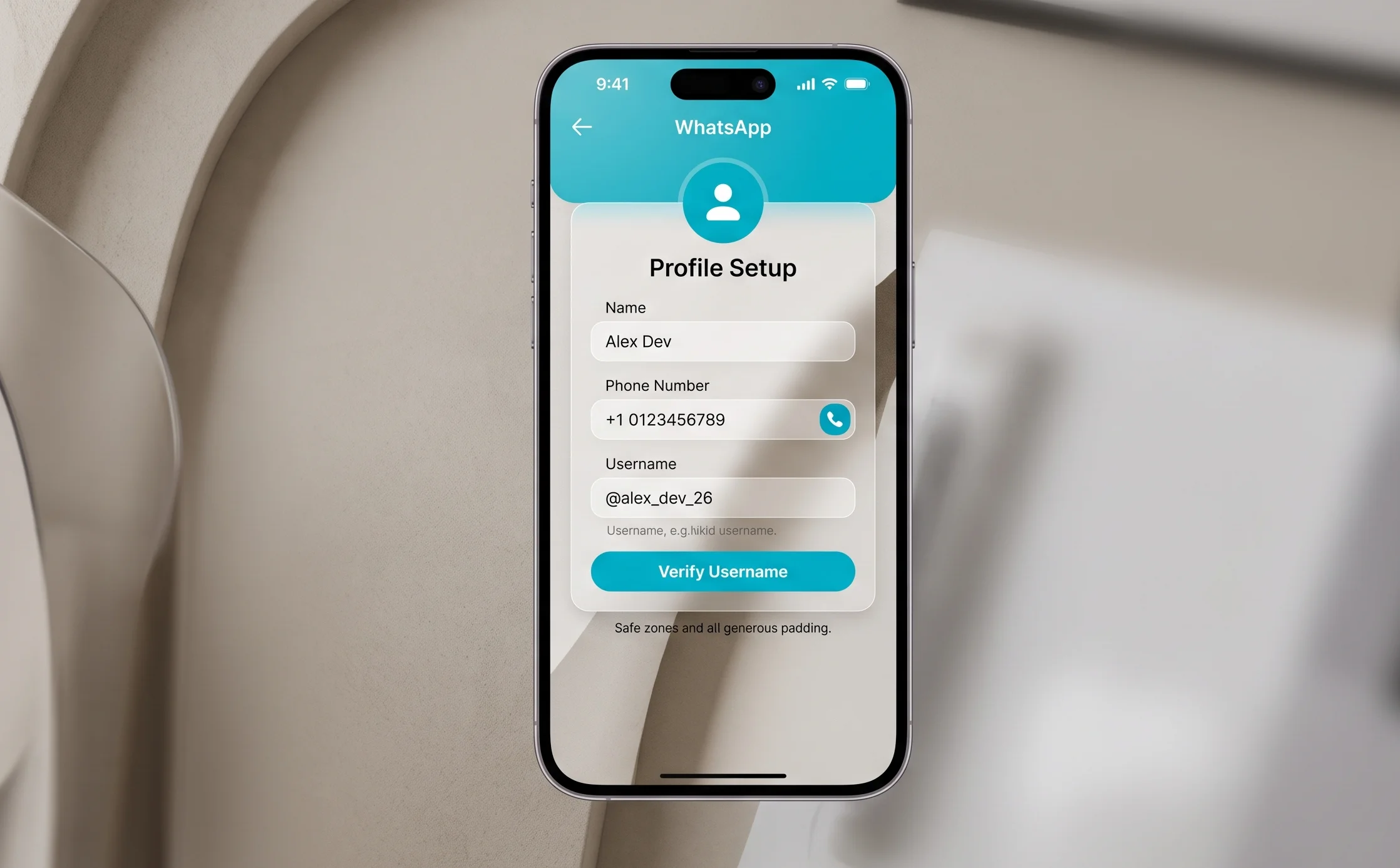
A New Era of Privacy in the Popular Messenger
The WhatsApp development team is rolling out a major security update that completely changes how users interact. Instead of the mandatory exchange of mobile phone numbers, the platform is moving to a system of unique usernames. This decision is designed to significantly increase the privacy level of personal data and simplify communication in large groups and business chats.
The new feature is being deployed gradually and is initially becoming available to beta testers on Android and iOS platforms. Creating a personal nickname will allow you to hide your phone number from strangers you communicate with in shared communities or workspaces.
Why Usernames Are Needed in WhatsApp
Until now, the main identifier in the messenger remained the phone number. This created certain risks, because adding to any group automatically made your number visible to all its participants. The introduction of nicknames solves several key tasks at once.
- Hiding the real phone number when communicating with new contacts.
- Simplifying the search for people inside the platform without the need to share personal digits.
- Protection against unwanted calls and spam mailings from outsiders.
- Convenient integration for business accounts that want to make their brand more recognizable.
It is important to note that existing chats and contacts will not change. People who already have your number in their phone book will continue to see it. The new option is primarily designed to protect data during new acquaintances and interaction on public platforms.
How the Username Reservation System Works
The process of choosing and securing a name is unique to each account. This means that two users cannot have the exact same nickname. Whoever manages to register a specific word first becomes its owner. The developers have set clear rules for the formation of these identifiers.
For clarity, the main requirements and technical parameters of the new system are presented in the table below.
Step-by-Step Instructions for Setting Up a Username
To reserve your nickname, you need to perform a few simple steps in the settings menu of your application. Make sure you have the latest version of the messenger installed from the Google Play Store or App Store on your device.
- Open WhatsApp and go to the Settings section via the main menu.
- Tap on your own photo or profile name at the top of the screen.
- Find the new line named Username.
- Enter the desired nickname in Latin letters and wait for the system automated check.
- If the name is free, click the Save or Confirm button to fix it.
After successful saving, a unique link or QR code will appear under your nickname. You will be able to copy this link and share it on websites, social networks or business cards. Anyone who clicks this link will be able to start a dialogue with you in WhatsApp, but will not see your mobile number.
Additional Privacy Layers
The developers integrated the username function with the general Meta security system. Along with nicknames, it becomes possible to set a special PIN code. If another user tries to find you by name for the first time, the application may ask for this four-digit numeric password. This ensures that even knowing your exact username, outsiders will not be able to send you messages without your prior consent.
This approach completely eliminates the problem of automated parsing and mass spam attacks, from which users of other open messengers often suffer. WhatsApp retains its status as a closed and secure space for personal and business communication, but becomes much more flexible to use.
When the Feature Will Be Active for Everyone
Since the messenger audience numbers over two billion active users, the rollout takes place in waves to prevent excessive load on the name registration servers. First of all, access is granted to owners of WhatsApp Business accounts so that companies can protect their trademarks from cybersquatting. After that, a mass update for regular private profiles around the world will begin.
It is recommended to regularly check for program updates in your smartphone to gain access to the reservation interface among the first and have time to take your own name or short company name without using extra numbers or symbols.




0 Comments