
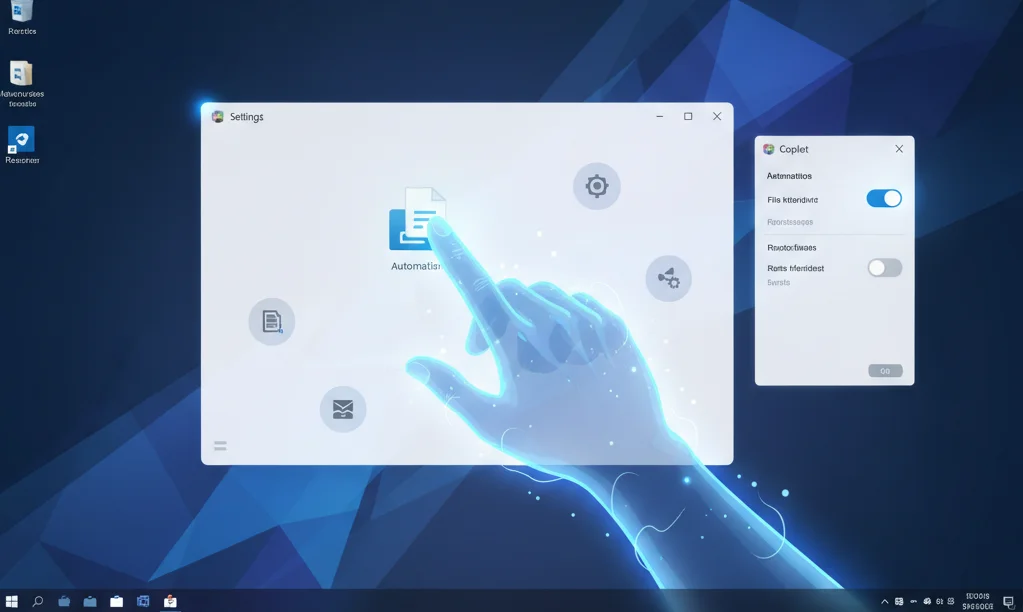
The evolution of personal computers has reached a new, unprecedented stage. Microsoft introduced an experimental AI agent for Windows 11-a mode that transforms the intelligent assistant Copilot into a true autonomous operator. This isn’t just an advanced chatbot; it’s a digital entity capable of taking control of a PC’s artificial intelligence, performing complex, multi-step tasks that previously required direct user interaction. This represents a fundamental shift in the paradigm of human interaction with technology.
This Windows 11 task automation is aimed at maximizing productivity and eliminating routine operations. To understand the importance of the update, it’s important to understand two key technologies that make this transition possible: Copilot Vision and AI Actions.
Copilot Vision Breakthrough: How AI “Sees” Your Screen
Previously, artificial intelligence (AI) worked primarily with text. The latest Copilot Vision feature gives the AI agent “vision,” allowing it to analyze the content displayed on the screen in real time. This capability is critical, as it allows the assistant to understand the context of your work without relying solely on voice or text queries.
Copilot Vision scans app windows, interface elements, and images to accurately determine where you are in the operating system and what actions are appropriate. This means the AI can provide context-sensitive advice and assistance based on visual information, not just general instructions.
- Real-time UI analysis: The AI agent can see buttons, input fields, and navigation elements just like a human.
- Context understanding: If an error appears on the screen, the AI will not only answer the question about it, but also understand which app or settings section it occurred in.
- Step-by-step instruction generation: Using “vision,” AI can visually show the user what and where to click to complete a task, greatly simplifying troubleshooting.
AI Actions: System Automation and Control
If Copilot Vision is the “eyes,” then AI Actions are the agent’s “hands.” This is the functionality that turns recommendations into direct commands. Instead of simply telling you how to change settings, AI can do so automatically if you grant the appropriate permission. This brings a new level of functionality to the Windows 11 autonomous agent.
By integrating with deep system APIs, the agent can perform sequences of actions that would typically take a long time and require switching between different applications. Freeing up the workload is the key advantage of the new Windows 11 AI agent.
Examples of AI control in action
- Comprehensive file management: An agent can find files by description (“All PDFs I edited last week related to Project Z”), archive them, and upload them to cloud storage without a single manual click.
- System Settings: Change complex privacy or network settings with a single natural language command, such as “Turn off all notifications for games except my calendar.”
- Interact with apps: Create a new document in Word, copy a table from Excel, and send it as an attachment to Outlook-all within a single, integrated AI instruction.
- Resource Optimization: Monitors and closes background processes that consume excessive amounts of RAM to improve the performance of Windows 11 AI Agent.
This functionality is especially important for professionals working with large volumes of data. The new Copilot Windows becomes more than just an assistant, but a fully-fledged “manager” of the digital workspace.
Security and Absolute User Control Issues
The deployment of an AI agent with access to PC management inevitably raises privacy concerns. Microsoft recognizes this and has implemented multiple layers of protection to ensure that the user remains fully in control of the AI-powered PC.
Key Confidentiality Guarantees
- Opt-in: AI mode is activated only with the user’s explicit consent, not by default. The user must actively allow the agent to interact with the screen.
- Transparency and Stop: The user always sees what the AI is “seeing” and can pause screen sharing or cancel the agent’s current action at any time.
- Enterprise Data Protection (EDP): Work and school accounts use Enterprise Data Protection to ensure that sensitive data (prompts and responses) remains within the corporate environment and is protected from unauthorized access.
Thanks to these measures, the AI agent functions as a reliable yet controlled tool. This gives users confidence that even as their PC becomes more autonomous, their data remains protected.
The Future of AI PC: Beyond the Routine Update
This experimental AI mode is not an isolated feature, but part of Microsoft’s broader strategy to create AI PCs. This generation of computers is optimized for running large language models directly on the device, significantly increasing the speed and efficiency of AI agents.
While some Copilot Vision features can run on standard hardware, the full potential of Copilot’s advanced capabilities is unlocked on devices with built-in specialized neural processing units (NPUs). These NPUs enable complex AI operations, such as screen analysis and decision-making, to be performed with minimal latency without overloading the CPU.
How is AI Agent different from a regular Copilot?
To summarize, the key difference is the transition from an information assistant to an action agent. A standard Copilot could find information and generate text; the AI Agent can perform actions, make system changes, and automate Windows 11 tasks in real time.
- Old Copilot: Answers questions, writes emails, searches the internet. Limited interaction with the interface.
- AI Agent (New Mode): Performs multi-step tasks, manages applications, changes PC settings, provides step-by-step instructions based on visual analysis.
With this advanced autonomous agent, Windows 11 becomes a tool not only for finding information, but also for applying it and managing the entire digital space. This experimental mode marks the beginning of a new era in which the PC is more actively involved in the user’s workflow, increasing efficiency to previously unheard-of levels.
Integrating an AI agent into Windows 11 is an investment in the future, which promises not just faster computers, but smarter ones that can anticipate your needs and do your work for you, delivering a truly AI-powered PC.


0 Comments