
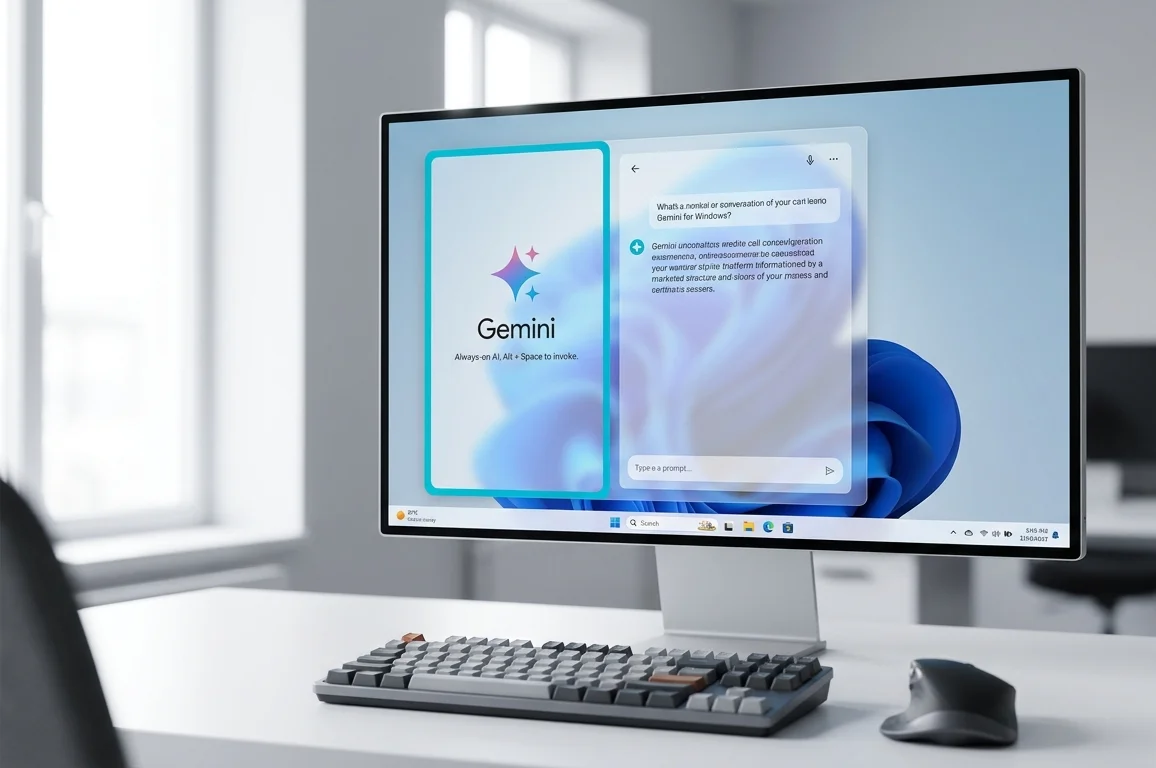
Native Gemini Desktop Client Arrives on Windows Systems
Google has officially expanded its artificial intelligence ecosystem by introducing a dedicated desktop application for Windows 10 and Windows 11. Previously, PC users were restricted to browser sessions or unofficial wrapper utilities to access the service. The release delivers a streamlined background utility that eliminates the necessity of keeping persistent browser tabs open during daily workflows.
Rapid accessibility serves as the foundation of this release. Instead of locating bookmarks or navigating through browser tabs, the interface appears instantly via a global key binding. This architectural choice directly positions Google against Microsoft Copilot right on Windows home ground.
Shortcut Activation and Workspace Architecture
The core interaction model relies on a compact floating overlay reminiscent of utility launchers like Spotlight or PowerToys Run. The default activation trigger is assigned to Alt + Space. While this shortcut caused technical discussions due to overlapping Windows system window menus and launcher defaults, users have complete freedom to modify the hotkey combination inside preferences.
Upon activation, a floating prompt box materializes above active applications, ready for natural language instructions, image drops, document parsing, or microphone input. If in-depth analysis is required, a single control expands the interface into an expansive desktop window without interrupting context.
Architecture Support Across x64 and Snapdragon ARM
Recognizing the evolving hardware landscape of modern personal computing, Google avoided shipping an unoptimized web container. Instead, two targeted builds were released
- x86-64 Architecture Build – engineered for traditional Intel Core and AMD Ryzen platforms, optimizing runtime memory consumption through direct Win32 API calls.
- Native ARM64 Architecture Build – compiled directly for Copilot+ PCs powered by Qualcomm Snapdragon X Elite and Snapdragon X Plus processors, preventing software emulation penalties and conserving battery life.
Direct Workspace Data Integration
For individuals and enterprise teams embedded within the Google services suite, the desktop client connects directly with stored information assets. With authorized account permissions, the assistant queries repositories without manual copy-pasting.
Users can request synthesis across several endpoints at once, such as extracting balance summaries from Google Drive documents, aggregating message threads from Gmail, or scheduling events on Google Calendar. All outputs embed actionable hyperlinks pointing back to source files.
Pricing Tiers and Subscription Structure
Standard access to the Windows client remains free of charge for general Google account holders. Computational tasks requiring deep contextual reasoning, massive document parsing, or coding workflows fall under subscription tiers.
The Competitive Balance with Microsoft Copilot
The availability of a first-party Google client fundamentally shifts the desktop AI landscape. Where Microsoft held hardware and operating system advantages via dedicated keyboard keys and system taskbar placement, Google now offers equivalent accessibility via simple global shortcuts.
Developers, analysts, and enterprise users gain direct choice between ecosystem tools based entirely on platform performance and where their organizational documents reside.

0 Comments