
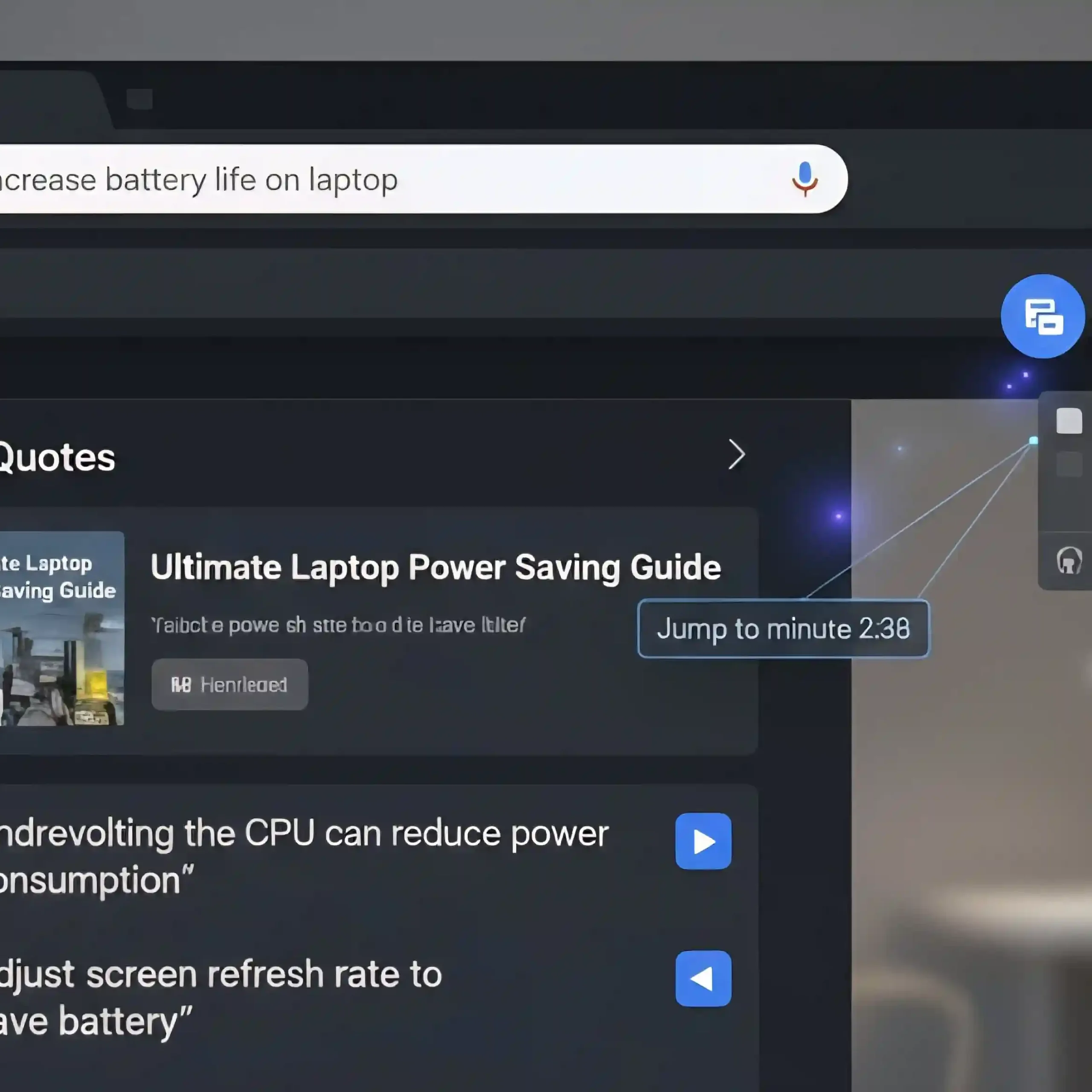
Google continues to improve its dominant Chrome browser, announcing two significant updates that address two key user concerns: efficient video search and organizing a cluttered workspace. New features-including YouTube video citations in search results and the ability to manage tab groups with a single, compact icon-confirm Google’s strategy of leveraging artificial intelligence to enhance the usefulness and improve the user experience directly within the browser.
Ending Infinite Scrolling: Quoting YouTube Videos in Search
How does this work?
Until now, when you searched for information contained in a YouTube video, Google could only display a link to the entire video. This will now change dramatically. A new feature allows you to cite YouTube videos in search results. This means that when your search query matches a phrase spoken in the video, the exact text quote from the video will appear in the search results.
How it works: It’s based on powerful AI technology that analyzes the transcription of video content. Google indexes not only the video’s metadata and title, but also all audio content as text. Clicking on a quote doesn’t just take the user to the video, but also redirects them to the exact moment in the video where the phrase was spoken. This is especially useful for long educational, scientific, or news videos.
Impact on content creators
This update also has implications for YouTube’s SEO. Content creators must now pay even greater attention to the quality of transcriptions and the clarity of keyword pronunciation in their videos, as these now become a direct source of search results.
Tab Groups: Manage with a Single Icon
The second major update concerns the organization of the browser’s workspace. The Tab Groups feature was introduced previously, but Google has made it much more elegant and functional. A common problem for many users is the tab bar becoming overloaded, leading to confusion and slowdowns.
Users can now collapse an entire group of tabs (e.g., “Project X,” “Personal Reading,” “News”) into a single compact icon or shortcut. This frees up a significant amount of horizontal space on the browser bar. This icon visually represents the entire group and can be easily moved or hidden.
Increased productivity
Managing tabs with a single icon makes Chrome a more effective multitasking hub. Users can quickly switch between different work contexts, minimizing clutter and reducing cognitive load. This update is part of a general trend in browsers aimed at combating information overload.
General conclusion
These two new Chrome features demonstrate Google’s focus on creating a holistic and intelligent experience. On the one hand, SI-quoting makes video content as searchable as text. On the other hand, compact tab groups make the browser itself cleaner and more suitable for professional, high-intensity work. These updates are gradually rolling out to Chrome users across all desktop platforms.



0 Comments