
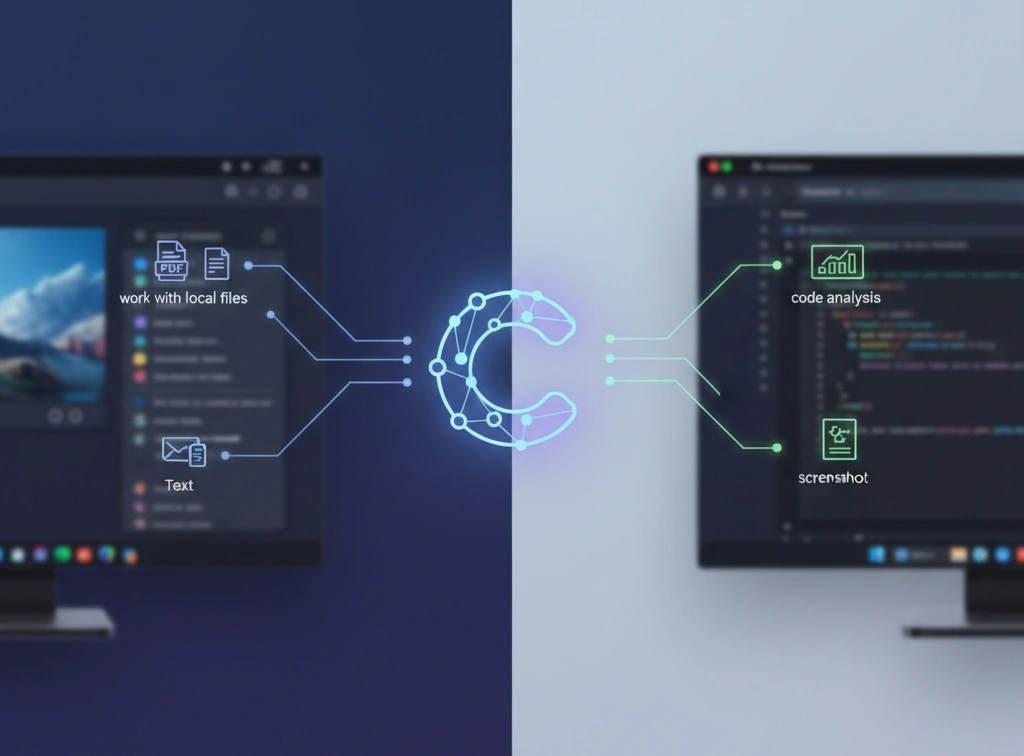
- Why is the Claude Desktop app an important step?
- Key Features and Integration: Working with Local Data
- Instant Screenshot Analysis
- Working with local AI files
- How to get Claude Desktop: Terms of Access
- Productivity at your fingertips: Call Claude
- Competitive Environment and Future Integrations
- Claude Ecosystem and Partnership
- The Result: A New Era of AI Work
The world of artificial intelligence continues to evolve rapidly, offering users new, more convenient tools for work and learning. Anthropic has taken a significant step forward with the release of its official desktop app, Claude Desktop. This news has become a key milestone for millions of users, who can now harness the power of one of the most advanced chatbots directly on their computers. Claude AI is now available for macOS and Windows, significantly enhancing system integration and performance.
Why is the Claude Desktop app an important step?
Until recently, interaction with the Claude chatbot was primarily through the web interface. While the web version is functional, Claude Desktop offers a number of advantages that make it an indispensable tool for daily work. This applies not only to speed but also to deep integration into the operating system, which is critical for professionals.
- Speed and Optimization: The desktop app is generally faster and more stable than a browser tab, especially when performing complex tasks.
- Minimize Distractions: Using a dedicated AI assistant on your desktop allows you to focus on the task at hand, minimizing the temptation to check other websites.
- Always Available: The Claude desktop app launches with one click and is always ready to use.
Key Features and Integration: Working with Local Data
The key advantage that sets Claude Desktop apart from its competitors is its ability to deeply interact with locally stored data on the device. This opens up entirely new AI use cases that were previously inaccessible or difficult to implement.
Instant Screenshot Analysis
Thanks to system integration, users can invoke Claude, take a screenshot, and immediately upload it for analysis. This is ideal for:
- Decoding charts and graphs.
- Translation of text from images.
- Analyzing errors in the code displayed on the screen.
Working with local AI files
Anthropic AI’s desktop version lets you load and analyze large documents, PDFs, spreadsheets, and even local code snippets without having to switch to a browser. This makes Claude for Windows and Claude for macOS a powerful tool for researchers, writers, and programmers working with sensitive data.
How to get Claude Desktop: Terms of Access
One of the most compelling aspects of this news is its accessibility policy. Anthropic has made Claude Desktop available to all users. This means:
- Free access: The desktop version is available even to those who do not have a paid subscription to advanced Claude models.
- Easy to Install: The download and installation process is simplified to the point that you can get started quickly.
Thus, Claude AI offers significantly expanded functionality for free, breaking down barriers to the widespread adoption of AI technologies.
Productivity at your fingertips: Call Claude
For those who value every second, Anthropic has developed the Call Claude feature-a quick access to the AI assistant via a simple hotkey. This allows you to:
- Ask questions or give commands instantly without leaving the current program window (Word, Excel, IDE).
- Quickly translate text or summarize it.
- Generate ideas or code while maintaining a work flow.
This “quick access” is the key element that transforms the Claude chatbot from a support tool into a fully-fledged partner in a multitasking environment.
Competitive Environment and Future Integrations
The release of Claude Desktop is a direct response to market trends, where demand for integrated AI solutions is constantly growing. Anthropic positions itself as a strong competitor, offering not only powerful models but also user-friendly client solutions.
Claude Ecosystem and Partnership
It’s worth noting that Claude’s capabilities aren’t limited to the desktop. Anthropic is actively expanding its ecosystem, integrating its AI models with key enterprise tools. For example, thanks to a partnership, Claude can now access content in Microsoft 365 (Word, Teams, Outlook), as well as search and analyze documents stored in SharePoint and OneDrive. This broad integration underscores Anthropic AI’s focus on the enterprise and high productivity.
The Result: A New Era of AI Work
The availability of Claude Desktop for all macOS and Windows users is a turning point. Not only does it improve the AI experience for individual users by providing quick access to AI and local file management, but it also cements Claude’s position as one of the leading, most accessible, and functionally integrated AI solutions on the market. We recommend downloading and testing the app to see how it can optimize your daily tasks.


0 Comments